
Timeline
Timeline
2025-01-12
init
2025-10-17
add clang-format
2025-12-03
modify indent style
2025-12-15
add desktop-save-mode, add ibuffer, add magit
This article describes the author's complete process of configuring Emacs in the Windows Terminal and WSL2 environment, including installing plugins such as clang-format, ibuffer, and magit, and enabling desktop-save-mode. The article details the Windows Terminal color scheme (GitHub-Dark-Default), font (FiraCode Nerd Font), background transparency and acrylic material settings, as well as installing win32yank.exe to support the clipboard. It also provides package installation and mirror source change suggestions for Arch Linux and Ubuntu 20.04. The article focuses on listing a rich set of keyboard shortcut configurations in table form, covering functions such as window size adjustment, tab switching, line movement, error navigation, LSP code fixes and jumps, file browsing, magit status, code formatting, etc., demonstrating a configuration approach for efficient code editing and navigation through LSP.
Environment
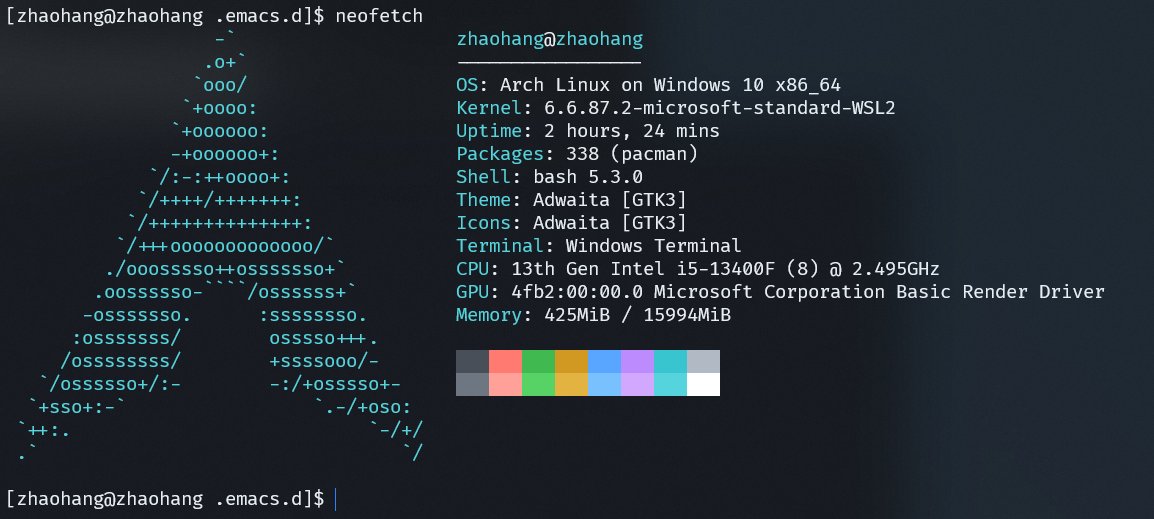
Using Windows Terminal + WSL2
Configuration
Windows Terminal
In Windows Terminal, open Settings, choose to open the JSON file, and add a color scheme in schemes.
123456789101112131415161718192021222324252627 | "schemes": [ { "background": "#0D1117", "black": "#484F58", "blue": "#58A6FF", "brightBlack": "#6E7681", "brightBlue": "#79C0FF", "brightCyan": "#56D4DD", "brightGreen": "#56D364", "brightPurple": "#D2A8FF", "brightRed": "#FFA198", "brightWhite": "#FFFFFF", "brightYellow": "#E3B341", "cursorColor": "#2F81F7", "cyan": "#39C5CF", "foreground": "#E6EDF3", "green": "#3FB950", "name": "GitHub-Dark-Default", "purple": "#BC8CFF", "red": "#FF7B72", "selectionBackground": "#E6EDF3", "white": "#B1BAC4", "yellow": "#D29922" } ], |
- In the archlinux configuration, select the Appearance tab.
- Select GitHub-Dark-Default as the color scheme.
- Select FiraCode Nerd Font as the font.
- Set background opacity to 86% and enable acrylic material.
- In the archlinux configuration, select the Advanced tab.
- For the bell notification style, uncheck Sound, and select Flash window and Flash taskbar.
- Install win32yank.exe and add it to the environment variables so that it can be accessed directly from the command line.
If acrylic fails, turn off Windows power saving mode.
Arch Linux
Arch Linux needs to download some packages.
Download yay reference

Note: After downloading, it is best to change the source for pacman and yay, otherwise the speed will be extremely slow.
12345678910111213141516171819202122232425262728293031 | # Set localesudo nano /etc/locale.gen# Find #en_US.UTF-8 UTF-8 and uncomment it.sudo locale-gensudo pacman -Sy emacs-noxsudo pacman -Sy clang nvm ripgrep bear pandoc# python/bash developmentsource /usr/share/nvm/init-nvm.shnvm list-remotenvm install v20.19.4nvm use v20.19.4npm i -g pyright bash-language-server devicetree-language-server prettier# rust developmentcurl --proto '=https' --tlsv1.2 -sSf https://sh.rustup.rs | shrustup component add rust-analyzer# Replace the system ls command with the exa command.sudo pacman -S exa# If it is bash, write it to bashrc.echo 'alias ll="ls -alF"' >> ~/.bashrcecho 'alias ls="exa --icons"' >> ~/.bashrcsource ~/.bashrcmkdir -p ~/.emacs.d/data/backupmkdir -p ~/.emacs.d/data/autosavegit config --global core.editor "emacs" |
Ubuntu20.04
Reference:

Emacs
Install
Arch Linux can be installed directly via pacman; if it is Ubuntu, consider compiling it yourself, refer to:
Configuration
.emacs(Click to expand)
123456789101112131415161718192021222324252627282930313233343536373839404142434445464748495051525354555657585960616263646566676869707172737475767778798081828384858687888990919293949596979899100101102103104105106107108109110111112113114115116117118119120121122123124125126127128129130131132133134135136137138139140141142143144145146147148149150151152153154155156157158159160161162163164165166167168169170171172173174175176177178179180181182183184185186187188189190191192193194195196197198199200201202203204205206207208209210211212213214215216217218219220221222223224225226227228229230231232233234235236237238239240241242243244245246247248249250251252253254255256257258259260261262263264265266267268269270271272273274275276277278279280281282283284285286287288289290291292293294295296297298299300301302303304305306307308309310311312313314315316317318319320321322323324325326327328329330331332333334335336337338339340341342343344345346347348349350351352353354355356357358359360361362363364365366367368369370371372373374375376377378379380381382383384385386387388389390391392393394395396397398399400401402403404405406407408409410411412413414415416417418419420421422423424425426427428429430431432433434435436437438439440441442443444445446447448449450451452453454455456457458459460461462463464465466467468469470471472473474475476477478479480481482483484485486487488489490491492493494495496497498499500501502503504505506507508509510511512513514515516517518519520521522523524525526527528529530531532533534535536537538539540541542543544545546547548549550551552553554555556557558559560561562563564565566567568569570571572573574575576577578579580581582583584585586587588589590591592593594595596597598599600601602603604605606607608609610611612613614615616617618619620621622623624625626627628629630631632633634635636637638639640641642643644645646647648649650651652653654655656657658659660661662663664665666667668669670671672673674675676677678679680681682683684685686687688689690691692693694695696697698699700701702703704705706707708709710711712713714715716717718719720721722723724725726727728729730731732733734735736737738739740741742743744745746747748749750751752753754755756757758759760761762763764765766767768769770771772773774775776777778779780781782783784785786787788789790791792793794795796797798799800801802803804805806807808809810811812813814815816817818819820821822823824825826827828829830831832833834835836837838839840841842843844845846847848849850851852853854855856857858859860861862863864865866867868869870871872873874875876877878879880881882883884885886887888889890891892893894895896897898899900901902903904905906907908909910911912913914 | ;;不显示menu-bar(menu-bar-mode -1);;显示行号(global-display-line-numbers-mode t);;在ModeLine显示列号(column-number-mode 1);;代码的折叠(add-hook 'prog-mode-hook 'hs-minor-mode);; 自动重载更改的文件(global-auto-revert-mode 1);;开启可视化换行,自动折行(global-visual-line-mode 1);; 括号匹配(electric-pair-mode 1);; 自动缩进(electric-indent-mode 1);; 鼠标模式(xterm-mouse-mode 1);; 中文显示(set-language-environment "utf-8")(set-buffer-file-coding-system 'utf-8)(set-terminal-coding-system 'utf-8)(set-keyboard-coding-system 'utf-8)(set-selection-coding-system 'utf-8)(set-default-coding-systems 'utf-8)(set-clipboard-coding-system 'utf-8)(modify-coding-system-alist 'process "*" 'utf-8)(prefer-coding-system 'utf-8)(setq-default pathname-coding-system 'utf-8)(setq default-process-coding-system '(utf-8 . utf-8) locale-coding-system 'utf-8 file-name-coding-system 'utf-8 default-buffer-file-coding-system 'utf-8 slime-net-coding-system 'utf-8-unix )(setq find-file-encoding 'auto)(setq-default coding-system-for-read 'utf-8)(setq-default coding-system-for-write 'utf-8);; 基本设置(setq-default window-combination-resize t ;; 新窗口平均其他左右窗口 x-stretch-cursor t ;; 将光标拉伸到字形宽度 indent-tabs-mode nil tab-width 8 )(setq ring-bell-function 'ignore initial-scratch-message nil inhibit-startup-message t auto-save-file-name-transforms '((".*" "~/.emacs.d/data/autosave/" t)) ;; Write auto-save files to a separate directory backup-directory-alist '(("." . "~/.emacs.d/data/backup/")) ;; Write backup files to a separate directory create-lockfiles nil ;; Disable lockfiles scroll-conservatively 10000 ;;防止页面滚动时跳动 scroll-step 1 ;; 当光标移动到边缘时,窗口每次只滚动一行 undo-limit 80000 ;; 提升撤销限制 display-time-default-load-average nil ;; 不显示系统负载 use-short-answers t comp-deferred-compilation t ;; Emacs 28+ native-comp-async-report-warnings-errors nil )(defun my/kill-unwanted-buffers () "在 Emacs 启动时关闭一些不想要的 buffer." (dolist (buf-name '("*scratch*" ;;"*Async-native-compile-log*" ;; can't be killed ;;"*Messages*" )) (when (get-buffer buf-name) (kill-buffer buf-name))))(add-hook 'emacs-startup-hook #'my/kill-unwanted-buffers);; 启动速度统计(add-hook 'emacs-startup-hook (lambda () (message "Emacs ready in %s with %d garbage collections." (format "%.2f seconds" (float-time (time-subtract after-init-time before-init-time))) gcs-done)));; 如果用emacs打开文件则只打开文件,如果直接打开emacs则开启上次退出的非空界面;; (add-hook 'after-init-hook;; (defun if-desktop-read ();; (setq desktop-dirname "~/.emacs.d/desktop/";; desktop-base-file-name "emacs.desktop";; desktop-base-lock-name "lock";; desktop-path (list desktop-dirname);; desktop-save t;; desktop-files-not-to-save "^$" ;reload tramp paths;; desktop-load-locked-desktop nil;; desktop-auto-save-timeout 10);; (desktop-save-mode 1);; (if (< (length command-line-args) 2);; (desktop-read)));; 'if-desktop-read);; 使用 Fira Code Nerd Font 字体(when (display-graphic-p) (set-face-attribute 'default nil :font "FiraCode Nerd Font" :height 120));; 剪贴板与系统共享:根据环境自动选择 WSL(Windows) 或 Ubuntu(Wayland/X11) 方案(cond ;; 1. WSL 与 Windows 共享剪贴板(win32yank.exe) ((executable-find "win32yank.exe") (defun my/clipboard-to-windows (text &optional push) (let ((process-connection-type nil)) (with-temp-buffer (insert text) (call-process-region (point-min) (point-max) "win32yank.exe" nil nil nil "-i")))) (defun my/clipboard-from-windows () (string-trim-right (with-output-to-string (call-process "win32yank.exe" nil standard-output nil "-o")))) (setq interprogram-cut-function 'my/clipboard-to-windows) (setq interprogram-paste-function 'my/clipboard-from-windows)) ;; 2. Ubuntu (Wayland) 终端环境(必须同时满足有 wl-copy 且环境变量存在) ((and (getenv "WAYLAND_DISPLAY") (executable-find "wl-copy") (executable-find "wl-paste")) (defun my/clipboard-to-wayland (text &optional push) (let ((process-connection-type nil)) (with-temp-buffer (insert text) (call-process-region (point-min) (point-max) "wl-copy" nil nil nil)))) (defun my/clipboard-from-wayland () (string-trim-right (with-output-to-string (call-process "wl-paste" nil standard-output nil)))) (setq interprogram-cut-function 'my/clipboard-to-wayland) (setq interprogram-paste-function 'my/clipboard-from-wayland)) ;; 3. Ubuntu (X11) 终端环境(备用方案,针对非 Wayland 环境) ((and (getenv "DISPLAY") (executable-find "xclip")) (defun my/clipboard-to-x11 (text &optional push) (let ((process-connection-type nil)) (with-temp-buffer (insert text) (call-process-region (point-min) (point-max) "xclip" nil nil nil "-selection" "clipboard")))) (defun my/clipboard-from-x11 () (string-trim-right (with-output-to-string (call-process "xclip" nil standard-output nil "-selection" "clipboard" "-o")))) (setq interprogram-cut-function 'my/clipboard-to-x11) (setq interprogram-paste-function 'my/clipboard-from-x11)));;设置镜像源;; (setq package-archives;; '(("melpa" . "https://melpa.org/packages/");; ("gnu" . "https://elpa.gnu.org/packages/")))(setq package-archives '(("gnu" . "https://mirrors.tuna.tsinghua.edu.cn/elpa/gnu/") ("nongnu" . "https://mirrors.tuna.tsinghua.edu.cn/elpa/nongnu/") ("melpa" . "https://mirrors.tuna.tsinghua.edu.cn/elpa/melpa/")))(use-package package :config (unless (bound-and-true-p package--initialized) (package-initialize)))(setq use-package-verbose t use-package-always-ensure t use-package-minimum-reported-time 0.01);;通过github下载包;; (unless (package-installed-p 'quelpa);; (with-temp-buffer;; (url-insert-file-contents "https://raw.githubusercontent.com/quelpa/quelpa/master/quelpa.el");; (eval-buffer);; (quelpa-self-upgrade)));; ;; 关闭自动升级和 verbose(减少启动开销);; (setq quelpa-upgrade-p nil;; quelpa-verbose nil;; quelpa-checkout-melpa-p nil);; (quelpa;; '(quelpa-use-package;; :fetcher git;; :url "https://github.com/quelpa/quelpa-use-package.git"));; (require 'quelpa-use-package);; 防止 GC 触发太频繁(use-package benchmark-init :ensure t :config ;; To disable collection of benchmark data after init is done. (add-hook 'after-init-hook 'benchmark-init/deactivate))(setq gc-cons-threshold (* 128 1024 1024 ))(add-hook 'after-init-hook (lambda () (setq gc-cons-threshold (* 5 1024 1024))));; 最近打开的文件(use-package recentf :ensure t ;; Loads after 2 second of idle time. :defer 2)(use-package nerd-icons :defer t :custom (nerd-icons-font-family "FiraCode Nerd Font") );;doom主题(use-package doom-themes :ensure t :init :config (setq doom-themes-enable-bold t ; if nil, bold is universally disabled doom-themes-enable-italic nil ; if nil, italics is universally disabled ) ;; 加载主题(例如 doom-one) (load-theme 'doom-tomorrow-night t) (global-hl-line-mode 1) (doom-themes-visual-bell-config) ;; 视觉提示“响铃”(visual bell) );; dire 高亮(use-package diredfl :ensure t :defer t :hook ((dired-mode . diredfl-mode) (dirvish-directory-view-mode . diredfl-mode)) :config (set-face-attribute 'diredfl-dir-name nil :bold t))(setq dired-free-space nil)(setq dired-listing-switches "-l --almost-all --human-readable --group-directories-first --no-group")(add-hook 'dired-mode-hook #'dired-hide-details-mode)(use-package dirvish :ensure t :config (setq dirvish-default-layout '(main preview 0.75)) ; 移除 parent 面板 (setq dirvish-mode-line-bar-image-width 0) ; hide the leading bar image (setq dirvish-mode-line-format '(:left (sort symlink) :right (omit yank index))) (setq dirvish-attributes ; The order *MATTERS* for some attributes '(vc-state subtree-state nerd-icons git-msg) dirvish-side-attributes '(vc-state nerd-icons)) ;; 修复:为 Dirvish 预览缓冲区开启行号 (defun my-dirvish-preview-enable-line-numbers () (unless (derived-mode-p 'dirvish-special-preview-mode) (display-line-numbers-mode 1))) ;; 将行号函数添加到预览缓冲区的钩子中 (add-hook 'dirvish-preview-setup-hook #'my-dirvish-preview-enable-line-numbers) :hook (after-init . dirvish-override-dired-mode) :bind ("C-x C-j" . dirvish));; (use-package nerd-icons-dired;; :defer t;; :quelpa (nerd-icons-dired :fetcher github :repo "rainstormstudio/nerd-icons-dired");; :vc (:url "https://github.com/rainstormstudio/nerd-icons-dired" :rev :newest);; :after nerd-icons;; :hook (dired-mode . nerd-icons-dired-mode));;(add-hook 'dired-mode-hook 'nerd-icons-dired-mode);; Enable rich annotations using the Marginalia package(use-package marginalia ;; Bind `marginalia-cycle' locally in the minibuffer. To make the binding ;; available in the *Completions* buffer, add it to the ;; `completion-list-mode-map'. :defer t ;;:quelpa (marginalia :fetcher github :repo "") :vc (:url "https://github.com/minad/marginalia" :rev :newest) :bind (:map minibuffer-local-map ("M-A" . marginalia-cycle)) ;; The :init section is always executed. :init ;; Marginalia must be activated in the :init section of use-package such that ;; the mode gets enabled right away. Note that this forces loading the ;; package. (marginalia-mode))(use-package nerd-icons-completion :after marginalia :config (nerd-icons-completion-mode) (add-hook 'marginalia-mode-hook #'nerd-icons-completion-marginalia-setup))(use-package nerd-icons-ibuffer :ensure t :config (setq nerd-icons-ibuffer-human-readable-size t) :hook (ibuffer-mode . nerd-icons-ibuffer-mode))(use-package ibuffer :ensure nil :config (setq ibuffer-expert t) (setq ibuffer-display-summary nil) (setq ibuffer-use-other-window nil) (setq ibuffer-show-empty-filter-groups nil) (setq ibuffer-default-sorting-mode 'filename/process) (setq ibuffer-title-face 'font-lock-doc-face) (setq ibuffer-use-header-line t) (setq ibuffer-default-shrink-to-minimum-size nil) (setq ibuffer-formats '((mark modified read-only locked " " (name 40 40 :left :elide) " " (size 9 -1 :right) " " (mode 16 16 :left :elide) " " filename-and-process) (mark " " (name 16 -1) " " filename))) (setq ibuffer-saved-filter-groups '(("Main" ("Directories" (mode . dired-mode)) ("C/C++" (or (mode . c++-mode) (mode . c++-ts-mode) (mode . c-mode) (mode . c-ts-mode) (mode . c-or-c++-ts-mode))) ("Devicetree" (or (mode . dts-mode) )) ("Python" (or (mode . python-ts-mode) (mode . c-mode) (mode . python-mode))) ("Build" (or (mode . make-mode) (mode . makefile-gmake-mode) (name . "^Makefile$") (mode . change-log-mode))) ("Scripts" (or (mode . shell-script-mode) (mode . shell-mode) (mode . sh-mode) (mode . lua-mode) (mode . bat-mode))) ("Config" (or (mode . conf-mode) (mode . conf-toml-mode) (mode . toml-ts-mode) (mode . conf-windows-mode) (name . "^\\.clangd$") (name . "^\\.gitignore$") (name . "^Doxyfile$") (name . "^config\\.toml$") (mode . yaml-mode))) ("Web" (or (mode . mhtml-mode) (mode . html-mode) (mode . web-mode) (mode . nxml-mode))) ("CSS" (or (mode . css-mode) (mode . sass-mode))) ("JS" (or (mode . js-mode) (mode . rjsx-mode))) ("Markup" (or (mode . markdown-mode) (mode . adoc-mode))) ("Org" (mode . org-mode)) ("LaTeX" (name . "\.tex$")) ("Magit" (or (mode . magit-blame-mode) (mode . magit-cherry-mode) (mode . magit-diff-mode) (mode . magit-log-mode) (mode . magit-process-mode) (mode . magit-status-mode))) ("Apps" (or (mode . elfeed-search-mode) (mode . elfeed-show-mode))) ("Claude Code" (and (mode . vterm-mode) (name . "^\\*claude\\*$"))) ("Fundamental" (or (mode . fundamental-mode) (mode . text-mode))) ("Emacs" (or (mode . emacs-lisp-mode) (name . "^\\*Help\\*$") (name . "^\\*Custom.*") (name . "^\\*Org Agenda\\*$") (name . "^\\*info\\*$") (name . "^\\*scratch\\*$") (name . "^\\*Backtrace\\*$") (name . "^\\*Messages\\*$")))))) :hook (ibuffer-mode . (lambda () (ibuffer-switch-to-saved-filter-groups "Main"))) );;tab栏显示buffer;; (use-package centaur-tabs;; :ensure t;; :demand;; :init;; :config;; (defun centaur-tabs-hide-tab (x);; "隐藏特殊 buffer,保留 GUD/GDB buffer.";; (let ((name (format "%s" x)));; (cond;; ;; 保留所有 GDB/GUD 相关 buffer;; ((string-match-p;; "^\\*\\(gud\\|gdb\\)" name);; nil);; ;; 隐藏 *Messages*、*Async-native-compile-log* 等内部 buffer;; ((string-prefix-p "*" name) t);; ;; Magit buffer;; ((and (string-prefix-p "magit" name);; (not (file-name-extension name))) t);; ;;非文件不显示;; ((not (buffer-file-name x)) t);; ;; 其他 buffer 显示;; (t nil))));; (defun centaur-tabs-buffer-groups ();; "`centaur-tabs-buffer-groups' control buffers' group rules.";; (list;; (cond;; ((or (string-equal "*" (substring (buffer-name) 0 1));; (memq major-mode '(magit-process-mode;; magit-status-mode;; magit-diff-mode;; magit-log-mode;; magit-file-mode;; magit-blob-mode;; magit-blame-mode;; ))) "Emacs");; ((memq major-mode '(helpful-mode;; help-mode)) "Help");; (t;; (centaur-tabs-get-group-name (current-buffer))))));; (setq centaur-tabs-style "bar";; centaur-tabs-set-bar 'over;; centaur-tabs-enable-key-bindings nil;; centaur-tabs-set-icons t;; centaur-tabs-icon-type 'nerd-icons;; centaur-tabs-set-close-button nil;; centaur-tabs-show-new-tab-button nil;; centaur-tabs-set-modified-marker t;; centaur-tabs-modified-marker "M";; centaur-tabs-cycle-scope 'tabs);; (centaur-tabs-mode t);; :bind;; ("C-<left>" . centaur-tabs-backward);; ("C-<right>" . centaur-tabs-forward);; :hook;; (dired-mode . centaur-tabs-local-mode);; );; modeline主题(use-package doom-modeline :ensure t :custom (doom-modeline-buffer-file-name-style 'truncate-except-project) ; 更智能的文件名截断 (doom-modeline-env-version t) ; 显示 Python/Rust 版本等 (doom-modeline-major-mode-icon t) :init (doom-modeline-mode 1));;文件导航栏;; (use-package neotree;; :defer t;; :ensure t;; :bind (("<f8>" . neotree-toggle));; :config;; (setq neo-theme 'nerd-icons);; (setq neo-smart-open t) ;; 打开时自动跳到当前文件路径;; (setq neo-show-hidden-files t);; 显示隐藏文件;; );; ;; neotree buffer 中强制截断长行;; (add-hook 'neo-after-create-hook;; (lambda (_);; ;; 不换行,禁用 visual-line(你全局开了的话);; (visual-line-mode -1);; (setq-local truncate-lines t);; ;; 用 “…” 代替右侧的 $ 截断标记;; (let ((tbl (or buffer-display-table (make-display-table))));; (set-display-table-slot tbl 'truncation (make-glyph-code ?…));; (setq-local buffer-display-table tbl))));; ;; 允许 neotree 窗口宽度可调整;; (with-eval-after-load 'neotree;; (setq neo-window-fixed-size nil))(use-package undo-tree :ensure t :init (global-undo-tree-mode) :config ;;将undo-tree生成的文件,都写入到~/.emacs.d/.cache,方便管理. (setq undo-tree-history-directory-alist `(("." . "~/.emacs.d/.cache"))) );; enhancement for amx;; 命令按历史排序(use-package amx :ensure t :defer t :init (amx-mode))(use-package exec-path-from-shell :ensure t :init :config (when (memq window-system '(mac ns x)) (exec-path-from-shell-initialize)));; Git工具(use-package magit :ensure t :defer t :bind (("C-x g" . magit-status)) )(use-package markdown-mode :ensure t :defer t :mode ("\\.md\\'" . markdown-mode) :init (setq markdown-command "pandoc") ;; 额外添加 README/readme 等文件的关联 (add-to-list 'auto-mode-alist '("README\\'" . markdown-mode)) (add-to-list 'auto-mode-alist '("readme\\'" . markdown-mode)) ;; 可选:也支持 README.md, Readme.md 等大小写变体 (add-to-list 'auto-mode-alist '("[Rr]eadme\\(?:\\.md\\)?\\'" . markdown-mode)))(use-package dts-mode :ensure t :defer t );; 语法解析(use-package tree-sitter :ensure t ;; :when (and (fboundp 'treesit-available-p) ;; (treesit-available-p)) :config (setq treesit-font-lock-level 4) ;;:init (setq treesit-language-source-alist '((bash . ("https://github.com/tree-sitter/tree-sitter-bash" "v0.20.0")) (c . ("https://github.com/tree-sitter/tree-sitter-c" "v0.21.3")) (cpp . ("https://github.com/tree-sitter/tree-sitter-cpp")) (python . ("https://github.com/tree-sitter/tree-sitter-python")) (rust . ("https://github.com/tree-sitter/tree-sitter-rust")) (toml . ("https://github.com/tree-sitter/tree-sitter-toml")) (elisp . ("https://github.com/Wilfred/tree-sitter-elisp")) (cmake . ("https://github.com/uyha/tree-sitter-cmake")) (dockerfile . ("https://github.com/camdencheek/tree-sitter-dockerfile")) (make . ("https://github.com/alemuller/tree-sitter-make")) (yaml . ("https://github.com/ikatyang/tree-sitter-yaml")) (json . ("https://github.com/tree-sitter/tree-sitter-json")) (java . ("https://github.com/tree-sitter/tree-sitter-java")) (html . ("https://github.com/tree-sitter/tree-sitter-html")) (javascript . ("https://github.com/tree-sitter/tree-sitter-javascript")) (css . ("https://github.com/tree-sitter/tree-sitter-css")) (go . ("https://github.com/tree-sitter/tree-sitter-go")) )) ;;没有内置<languate>-mode的需要添加 (add-to-list 'auto-mode-alist '("\\.c\\.[^/]*\\'" . c-ts-mode)) (add-to-list 'auto-mode-alist '("\\.include\\.[^/]*\\'" . c-ts-mode)) (add-to-list 'auto-mode-alist '("\\.y[a]?ml\\'" . yaml-ts-mode)) (add-to-list 'auto-mode-alist '("\\(?:Dockerfile\\(?:\\..*\\)?\\|\\.[Dd]ockerfile\\)\\'" . dockerfile-ts-mode)) (add-to-list 'auto-mode-alist '("\\.rs\\'" . rust-ts-mode)) (add-to-list 'auto-mode-alist '("\\.go\\'" . go-ts-mode)) (add-to-list 'auto-mode-alist '("\\.js\\'" . js-ts-mode)) );; 安装 tree-sitter 语法解析器(仅 Emacs 29+)(run-with-idle-timer 3 nil ; 启动后3秒空闲时执行 (lambda () (dolist (lang '(bash c cpp python rust toml elisp cmake dockerfile make yaml json java html javascript css go)) (unless (treesit-language-available-p lang) (treesit-install-language-grammar lang)))));; 优先使用 Tree-sitter mode(setq major-mode-remap-alist '((bash-mode . bash-ts-mode) (c-mode . c-ts-mode) (c++-mode . c++-ts-mode) (python-mode . python-ts-mode) ;;(rust-mode . rust-ts-mode) (conf-toml-mode . toml-ts-mode) (elisp-mode . elisp-ts-mode) (cmake-mode . cmake-ts-mode) ;;(dockerfile-mode . dockerfile-ts-mode) (json-mode . json-ts-mode) (java-mode . java-ts-mode) ;;(yaml-mode . yaml-ts-mode) (makefile-mode . makefile-ts-mode) (mhtml-mode . html-ts-mode) (html-mode . html-ts-mode) ;;(js-mode . js-ts-mode) (css-mode . css-ts-mode) ;;(go-mode . go-ts-mode) ));; 设置 C/C++ 模式的缩进为 8 个空格(defun my-c-cpp-indent-setup () "Customize C/C++ mode." (setq c-ts-mode-indent-offset 8) ;; 缩进单位为 8 (setq c-ts-mode-indent-style 'linux))(dolist (hook '(c-mode-hook c++-mode-hook c-ts-mode-hook c++-ts-mode-hook)) (add-hook hook #'my-c-cpp-indent-setup));; lsp语言服务器配置(use-package eglot :ensure t :defer 1 :config (setq eglot-server-programs '(((c-mode-hook c++-mode-hook c++-ts-mode c-ts-mode) . ("clangd" ;; "-j=4" "--enable-config" "--background-index" ;; "--background-index-priority=low" "--clang-tidy" "--completion-style=detailed" "--ranking-model=decision_forest" "--header-insertion=never" ;; "--all-scopes-completion" "--pretty" ;; "--fallback-style=none" ;;"--query-driver=aarch64-linux-gnu-*" ;;"--query-driver=gcc,g++" "--query-driver=/usr/bin/g++,/usr/bin/gcc" )) ((dts-mode) . ("devicetree-language-server" "--stdio")) ((rust-mode rust-ts-mode) . ("rust-analyzer" :initializationOptions (:cargo (:buildScripts (:enable t)) :procMacro (:enable t)))) ((python-mode python-ts-mode) . ("pyright-langserver" "--stdio")) ;; ((bash-mode bash-ts-mode sh-mode sh-ts-mode) . ("bash-language-server" "start")) ;; ((toml-mode toml-ts-mode) . ("taplo" "lsp" "stdio")) ;; ((yaml-mode yaml-ts-mode) . ("yaml-language-server" "--stdio")) ;; ((markdown-mode markdown-ts-mode) . ("marksman")) )) ;; 关闭lsp自动格式化 (setq eglot-ignored-server-capabilities '(:documentOnTypeFormattingProvider)) );;自动打开eglot(dolist (hook '(c-mode-hook c-ts-mode-hook c++-mode-hook c++-ts-mode-hook dts-mode-hook rust-mode-hook rust-ts-mode-hook python-mode-hook python-ts-mode-hook ;;bash-mode-hook bash-ts-mode-hook ;;sh-mode-hook sh-ts-mode-hook ;; markdown-mode-hook markdown-ts-mode-hook ;; toml-mode-hook toml-ts-mode-hook ;; yaml-mode-hook yaml-ts-mode-hook )) (add-hook hook 'eglot-ensure));; eglot快捷键(global-set-key (kbd "M-,") 'xref-find-definitions) ;; 跳转到定义(global-set-key (kbd "M-.") 'xref-pop-marker-stack) ;; 跳回(global-set-key (kbd "M-?") 'xref-find-references) ;; 查找引用;; comment(defun my-cpp-line-comments () "Use // comments instead of /* */ in C/C++." (setq-local comment-start "// " comment-end "" comment-start-skip "//+\\s-*"))(dolist (hook '(c-mode-hook c++-mode-hook c-ts-mode-hook c++-ts-mode-hook rust-mode-hook rust-ts-mode-hook python-mode-hook python-ts-mode-hook java-mode-hook java-ts-mode-hook)) (add-hook hook #'my-cpp-line-comments))(use-package yasnippet :ensure t :hook (after-init . yas-global-mode) :config ;; 可选:设置 snippet 目录(默认已包含 ~/.emacs.d/snippets) ;; (setq yas-snippet-dirs '("~/.emacs.d/snippets")) );; 自动补全(use-package company :defer 1 :ensure t :hook (after-init . global-company-mode) :config ;; 光标停留 0 秒立即弹出补全 (setq company-idle-delay 0) ;; 后端 (setq company-backends '((company-capf :with company-yasnippet) company-keywords company-files)) ;; 最少 1 个字符触发补全,0 表示空白处也可以触发 (setq company-minimum-prefix-length 1) ;; 补全候选最多显示 30 个 (setq company-tooltip-limit 30) (setq eldoc-idle-delay 0.3) ;; GDB配置 (add-hook 'gud-mode-hook (lambda () (company-mode -1))) ;; gud模式下禁用 company ;; 在 eshell 模式下禁用 company-mode (add-hook 'eshell-mode-hook (lambda () (company-mode -1))) );; 格式化(use-package format-all :ensure t :defer t :commands format-all-mode ;; :hook (prog-mode . format-all-mode) ;; 禁用自动保存格式化 :config (setq-default format-all-formatters '(("C" (clang-format)) ("C++" (clang-format)) ;; ("Java" (clang-format)) ("Rust" (rustfmt)) ("JavaScript" (prettier)) ("Markdown" (prettier)) ("YAML" (prettier)) ;;("TOML" (taplo-fmt)) ;;("Devicetree" (dtsfmt)) )))(global-set-key (kbd "C-x f") 'format-all-buffer);; claude code;; install required inheritenv dependency:(use-package inheritenv :vc (:url "https://github.com/purcell/inheritenv" :rev :newest))(use-package monet :vc (:url "https://github.com/stevemolitor/monet" :rev :newest));; for vterm terminal backend:(use-package vterm :ensure t);; install claude-code.el(use-package claude-code :ensure t :vc (:url "https://github.com/stevemolitor/claude-code.el" :rev :newest) :config ;; optional IDE integration with Monet (add-hook 'claude-code-process-environment-functions #'monet-start-server-function) (monet-mode 1) (setq claude-code-terminal-backend 'vterm) (claude-code-mode) :bind-keymap ("C-c c" . claude-code-command-map) ;; Optionally define a repeat map so that "M" will cycle thru Claude auto-accept/plan/confirm modes after invoking claude-code-cycle-mode / C-c M. :bind (:repeat-map my-claude-code-map ("M" . claude-code-cycle-mode)));; which-key 显示键绑定提示(use-package which-key :ensure t :defer t :config (which-key-mode));; 窗格切换(use-package ace-window :ensure t :defer t :bind (("M-o" . ace-window)));; 窗格移动(use-package buffer-move :ensure t :defer t :bind (("C-c <up>" . buf-move-up) ("C-c <down>" . buf-move-down) ("C-c <left>" . buf-move-left) ("C-c <right>" . buf-move-right)));; 智能按键C-a C-c k(use-package crux :ensure t :defer t :bind (("C-a" . 'crux-move-beginning-of-line) ("C-c k" . 'crux-smart-kill-line)));; 预览要跳转的行(use-package goto-line-preview :ensure t :defer t :bind (("M-g g" . goto-line-preview)));;代码整行上移下移(use-package move-dup :ensure t :defer t :bind (("C-M-p" . move-dup-move-lines-up) ;; ("C-M-p" . move-dup-duplicate-up) ("C-M-n" . move-dup-move-lines-down) ;; ("C-M-n" . move-dup-duplicate-down) ));; 项目识别,通过创建.projectile文件识别为一个项目(setq project-find-functions nil)(use-package projectile :ensure t ;;:init ;; :bind-keymap ;; ("C-c p" . projectile-command-map) :config (projectile-mode +1) (setq projectile-enable-caching t) (setq projectile-project-search-path '("~/repository")) (setq projectile-completion-system 'auto) ;; 或 ivy / helm / default (use-package rg :defer t :ensure t))(use-package multiple-cursors :ensure t :config (global-set-key (kbd "C-c m") 'mc/mark-all-dwim));; 快捷键定义必须放在后面否则容易被其他插件覆盖;; next error(global-set-key (kbd "M-n") #'flymake-goto-next-error)(global-set-key (kbd "M-p") #'flymake-goto-prev-error);; 快捷键绑定:使用调整窗口大小(global-set-key (kbd "M-<up>") 'enlarge-window)(global-set-key (kbd "M-<down>") 'shrink-window)(global-set-key (kbd "M-<left>") 'shrink-window-horizontally)(global-set-key (kbd "M-<right>") 'enlarge-window-horizontally);;撤销(global-set-key (kbd "C-/") 'undo-only);;全局搜索(global-set-key (kbd "C-c C-s") 'projectile-ripgrep)(defun k-insert-timestamp () (interactive) (insert (format-time-string "%Y-%m-%d %H:%M")))(defun k-insert-date () (interactive) (insert (format-time-string "%Y-%m-%d")))(global-set-key (kbd "C-c t") 'k-insert-timestamp)(global-set-key (kbd "C-c d") 'k-insert-date)(global-unset-key (kbd "C-x C-b"))(global-set-key (kbd "C-x C-b") 'ibuffer)(global-set-key (kbd "TAB") 'tab-to-tab-stop)(global-set-key (kbd "C-x k") (lambda () (interactive) (kill-this-buffer)))(add-hook 'prog-mode-hook (lambda () (local-set-key (kbd "C-c p") #'flymake-show-buffer-diagnostics) ;; problem (local-set-key (kbd "C-c f") #'eglot-code-actions))) ;; fix(custom-set-variables ;; custom-set-variables was added by Custom. ;; If you edit it by hand, you could mess it up, so be careful. ;; Your init file should contain only one such instance. ;; If there is more than one, they won't work right. '(package-selected-packages nil) '(package-vc-selected-packages '((claude-code :url "https://github.com/stevemolitor/claude-code.el"))))(custom-set-faces ;; custom-set-faces was added by Custom. ;; If you edit it by hand, you could mess it up, so be careful. ;; Your init file should contain only one such instance. ;; If there is more than one, they won't work right. ) |
Keyboard shortcut configuration overview
“C” in Emacs meansCtrl
“M” in Emacs meansAlt
| Shortcut | Function description | Source configuration |
|---|---|---|
| C-/ | Undo (undo-only) | Manual binding |
| M-<up> | Increase current window height | Manual binding |
| M-<down> | Decrease current window height | Manual binding |
| M-<left> | Decrease current window width | Manual binding |
| M-<right> | Increase current window width | Manual binding |
| C-<left> | Switch to previous tab (Centaur Tabs) | centaur-tabs |
| C-<right> | Switch to next tab | centaur-tabs |
| M-g g | Preview jump to specified line (goto-line-preview) | goto-line-preview |
| M-C-p | Move current line up | move-dup |
| M-C-n | Move current line down | move-dup |
| M-p | Next error | flymake |
| M-n | Previous error | flymake |
| C-c p | Show all errors | flymake |
| C-c f | Fix code using lsp (eglot-code-actions) | eglot |
| C-x C-j | Open file browser (dirvish) | dirvish |
| C-x C-f | Find file and open | Built-in |
| C-x C-b | Open buffer browser | Ibuffer |
| C-x g | magit status | magit |
| C-x f | Format current buffer (clang-format / rustfmt) | format-all |
| M-, | Jump to definition (xref-find-definitions, requires LSP support) | Manual binding |
| M-. | Jump back to previous position (xref-pop-marker-stack) | Manual binding |
| M-? | Find references (xref-find-references, requires LSP support) | Manual binding |
| M-o | Switch focus between windows | ace-window |
| C-c <up> | Move current buffer up to another window | buffer-move |
| C-c <down> | Move current buffer down to another window | buffer-move |
| C-c <left> | Move current buffer left to another window | buffer-move |
| C-c <right> | Move current buffer right to another window | buffer-move |
| C-a | Smart move cursor to beginning of line (press again to return to the start of the code) | crux |
| C-c k | Smart delete a line (preserves indentation) | crux |
| C-x SPC | Rectangular selection mode, allows selecting specific columns | Built-in |
| M-< | Move to beginning of buffer | Built-in |
| M-> | Move to end of buffer | Built-in |
| C-c t | Insert timestamp | Manual binding |
| C-c d | Insert date | Manual binding |
| C-x u | Open undo-tree | undo-tree |
- M-X projectile-ripgrep Global search with ripgrep
- C-c C-s Global search in the project
- M-x recenter Center the current line in the window
- M-x eglot-rename Rename symbol while programming
- M-x man, then enter the function to search for, e.g.
shmget(2), here 2 means search for syscall, then in*Man*In the buffer, use:- M-n → Next man page
- M-p → Previous man page
buffer-menu
You can use the following keys:
| Key | Function |
|---|---|
Enterorf | Switch to the buffer on the current line |
o | Switch to that buffer and keep*Buffer List* |
d | Mark this buffer as ‘to be deleted’ (not deleted immediately) |
x | Actually deleteAll marked buffers |
s | Save this buffer (if modified) |
u | Unmark (if previously pressedd) |
q | Shutdown*Buffer List*Window |
g | Refresh list (reload latest status) |
After pressing d to mark for deletion, press x to actually delete
magit
Magit’s design philosophy is:One key = one action。
| Key | Function |
|---|---|
s | Stage The file/region under the current cursor (equivalent togit add) |
u | Unstage(Unstage) |
c | Commit(Commit) → then presscAcknowledge |
P | Push Push to remote |
F | Fetch Pull updates from remote |
p | Pull(Pull and merge) |
b | Branch operations (create/switch/merge) |
l | view log(Commit history) |
L | View the log with graph (likegit log --graph) |
d | Diff View changes |
= | On a commit, press=View the diff of that commit |
q | Quit Close the current Magit buffer |
⚠️ Note: These commands are only valid in the Magit status buffer (
*magit: xxx*)!
After pressing a key, press Ctrl-g to cancel
Programming settings
For projects with a Makefile, you can use bear to generate compile_command.json for clangd to index.
123456 | # Create in the project root directory to identify this as a project.touch .projectile# Generate compile_command.jsonmake cleanbear -- make |
For Linux kernel-related settings, refer to
.clang-format configuration
Directly uses the Linux Kernel configuration, but uses spaces instead of TAB, and ColumnLimit is increased to 100.
.clang-format
123456789101112131415161718192021222324252627282930313233343536373839404142434445464748495051525354555657585960616263646566676869707172737475767778798081828384858687888990919293949596979899100101102103104105106107108109110111112113114115116117 | # SPDX-License-Identifier: GPL-2.0## clang-format configuration file. Intended for clang-format >= 11.## For more information, see:## Documentation/dev-tools/clang-format.rst# https://clang.llvm.org/docs/ClangFormat.html# https://clang.llvm.org/docs/ClangFormatStyleOptions.html#AccessModifierOffset: -4AlignAfterOpenBracket: AlignAlignConsecutiveAssignments: falseAlignConsecutiveDeclarations: falseAlignEscapedNewlines: LeftAlignOperands: trueAlignTrailingComments: falseAllowAllParametersOfDeclarationOnNextLine: falseAllowShortBlocksOnASingleLine: falseAllowShortCaseLabelsOnASingleLine: falseAllowShortFunctionsOnASingleLine: NoneAllowShortIfStatementsOnASingleLine: falseAllowShortLoopsOnASingleLine: falseAlwaysBreakAfterDefinitionReturnType: NoneAlwaysBreakAfterReturnType: NoneAlwaysBreakBeforeMultilineStrings: falseAlwaysBreakTemplateDeclarations: falseBinPackArguments: trueBinPackParameters: trueBraceWrapping: AfterClass: false AfterControlStatement: false AfterEnum: false AfterFunction: true AfterNamespace: true AfterObjCDeclaration: false AfterStruct: false AfterUnion: false AfterExternBlock: false BeforeCatch: false BeforeElse: false IndentBraces: false SplitEmptyFunction: true SplitEmptyRecord: true SplitEmptyNamespace: trueBreakBeforeBinaryOperators: NoneBreakBeforeBraces: CustomBreakBeforeInheritanceComma: falseBreakBeforeTernaryOperators: falseBreakConstructorInitializersBeforeComma: falseBreakConstructorInitializers: BeforeCommaBreakAfterJavaFieldAnnotations: falseBreakStringLiterals: falseColumnLimit: 100CommentPragmas: "^ IWYU pragma:"CompactNamespaces: falseConstructorInitializerAllOnOneLineOrOnePerLine: falseConstructorInitializerIndentWidth: 8ContinuationIndentWidth: 8Cpp11BracedListStyle: falseDerivePointerAlignment: falseDisableFormat: falseExperimentalAutoDetectBinPacking: falseFixNamespaceComments: falseIncludeBlocks: PreserveIncludeCategories: - Regex: ".*" Priority: 1IncludeIsMainRegex: "(Test)?$"IndentCaseLabels: falseIndentGotoLabels: falseIndentPPDirectives: NoneIndentWidth: 8IndentWrappedFunctionNames: falseJavaScriptQuotes: LeaveJavaScriptWrapImports: trueKeepEmptyLinesAtTheStartOfBlocks: falseMacroBlockBegin: ""MacroBlockEnd: ""MaxEmptyLinesToKeep: 1NamespaceIndentation: NoneObjCBinPackProtocolList: AutoObjCBlockIndentWidth: 8ObjCSpaceAfterProperty: trueObjCSpaceBeforeProtocolList: true# Taken from git's rulesPenaltyBreakAssignment: 10PenaltyBreakBeforeFirstCallParameter: 30PenaltyBreakComment: 10PenaltyBreakFirstLessLess: 0PenaltyBreakString: 10PenaltyExcessCharacter: 100PenaltyReturnTypeOnItsOwnLine: 60PointerAlignment: RightReflowComments: falseSortIncludes: falseSortUsingDeclarations: falseSpaceAfterCStyleCast: falseSpaceAfterTemplateKeyword: trueSpaceBeforeAssignmentOperators: trueSpaceBeforeCtorInitializerColon: trueSpaceBeforeInheritanceColon: trueSpaceBeforeParens: ControlStatementsExceptForEachMacrosSpaceBeforeRangeBasedForLoopColon: trueSpaceInEmptyParentheses: falseSpacesBeforeTrailingComments: 1SpacesInAngles: falseSpacesInContainerLiterals: falseSpacesInCStyleCastParentheses: falseSpacesInParentheses: falseSpacesInSquareBrackets: falseStandard: Cpp03TabWidth: 8UseTab: false |
Run Emacs as a daemon
systemd
Requires systemd
12 | systemctl --user enable --now emacsemacsclient file.txt |
Shell
12 | emacs --daemonemacsclient file.txt |
After finishing editing, press Ctrl+x, then #Exit, Emacs will mark that buffer as completed, and then emacsclient will exit. If no other buffers are in use, the LSP (e.g., clangd) started by that buffer will also exit.
And if you pressCtrl+xquit, and then c, Emacs will think this buffer cannot be closed yet.