时间轴
本文介绍了在WSL2环境中安装与配置Ubuntu-20.04的详细步骤,包括WSL实例的下载、迁移至D盘及用户权限恢复方法,并讨论了如何通过特定编译选项手动构建最新版Emacs,同时总结了更新gcc、QEMU、clangd、git、python及bear等开发工具与依赖的配置参考。
wsl下载ubuntu
1
2
3
4
|
wsl --list --online
wsl --install Ubuntu-20.04
|
迁移到D盘
在D盘创建一个目录用来存放新的WSL,比如D:\WSL\Ubuntu-20.04
1
2
3
4
5
6
7
|
wsl --export Ubuntu-20.04 D:\WSL\Ubuntu-20.04.tar
wsl --unregister Ubuntu-20.04
wsl --import Ubuntu-20.04 D:\WSL\Ubuntu-20.04 D:\WSL\Ubuntu-20.04.tar
|
如果这时候启动WSL,发现好像已经恢复正常了,但是用户变成了root。用以下命令恢复:
1
| Ubuntu2004 config --default-user username
|
安装最新版emacs
可以安装较新的 gcc 编译器
1
2
3
4
5
6
7
8
9
10
11
12
| sudo add-apt-repository ppa:ubuntu-toolchain-r/test
sudo apt update
sudo apt install gcc-13 g++-13
sudo update-alternatives --install /usr/bin/gcc gcc /usr/bin/gcc-9 90
sudo update-alternatives --install /usr/bin/g++ g++ /usr/bin/g++-9 90
sudo update-alternatives --install /usr/bin/gcc gcc /usr/bin/gcc-13 130
sudo update-alternatives --install /usr/bin/g++ g++ /usr/bin/g++-13 130
sudo update-alternatives --config gcc
|
编译 emacs
1
2
3
4
5
6
7
8
9
10
11
12
13
14
15
16
17
18
19
20
21
22
23
24
25
26
27
28
29
30
31
32
33
34
35
36
37
38
39
|
sudo apt-get purge snapd
git clone https://github.com/tree-sitter/tree-sitter.git
cd tree-sitter
git checkout release-0.25
make
make install PREFIX="$(pwd)/_install"
emacs _install/lib/pkgconfig/tree-sitter.pc
prefix=/home/zhaohang/repository/tree-sitter/_install
export PKG_CONFIG_PATH="$HOME/repository/tree-sitter/_install/lib/pkgconfig:$PKG_CONFIG_PATH"
wget https://mirrors.ustc.edu.cn/gnu/emacs/emacs-30.2.tar.xz
cd emacs-30.2
sudo apt install cmake build-essential
sudo apt install zlib1g-dev pkg-config libgnutls28-dev libncurses-dev libjansson-dev libvterm-dev libgccjit-$(gcc -dumpversion)-dev
export LD_LIBRARY_PATH="$HOME/repository/tree-sitter/_install/lib:$LD_LIBRARY_PATH"
./configure \
--without-x \
--without-ns \
--without-pgtk \
--with-native-compilation \
--with-modules \
--with-threads \
--with-tree-sitter \
--prefix=/usr/local \
LDFLAGS="-Wl,-rpath,$LD_LIBRARY_PATH -L$LD_LIBRARY_PATH"
make -j$(nproc)
sudo make install
objdump -p /usr/local/bin/emacs | grep RUNPATH
|
--without-xemacs-nox,不使用 X11(Xorg),只能用 emacs -nw(终端)--without-ns禁用 macOS 的 Cocoa / NS 窗口系统,只是防止 configure 自动探测到 macOS GUI--without-pgtk禁用 Pure GTK(Wayland 下的新 GUI 后端)--with-native-compilation启用 native-comp(.eln)将Elisp 编译成机器码--with-modules启用动态模块支持, 需要 libjansson-dev--with-threads启用 多线程支持--with-tree-sitter启用tree-sitter--prefix=/usr/local安装到 /usr/local
emacs配置参考:
qemu 最新版编译参考
另外通过apt下载的clangd版本比较老,可能不支持某些配置项,可通过下面命令安装较新的版本
1
2
3
4
5
6
7
8
9
10
11
12
| wget https://apt.llvm.org/llvm.sh
chmod u+x llvm.sh
sudo ./llvm.sh 21
sudo apt-get install clang-format-21
sudo update-alternatives --install /usr/bin/clang clang /usr/bin/clang-21 100
sudo update-alternatives --install /usr/bin/clang++ clang++ /usr/bin/clang++-21 100
sudo update-alternatives --install /usr/bin/clangd clangd /usr/bin/clangd-21 100
sudo update-alternatives --install /usr/bin/clang-format clang-format /usr/bin/clang-format-21 100
sudo apt install libstdc++-$(gcc -dumpversion)-dev
|
git 版本比较低,不支持-b参数,可以添加apt源更新
1
2
3
4
| sudo add-apt-repository ppa:git-core/ppa -y
sudo apt update
sudo apt upgrade
sudo apt install git -y
|
python 版本是3.8某些软件可能依赖3.9及以上的版本:
1
2
3
4
5
6
7
8
9
10
11
| sudo add-apt-repository ppa:deadsnakes/ppa
sudo apt-get update
sudo apt-get install python3.9 python3-pip
sudo update-alternatives --install /usr/bin/python3 python3 /usr/bin/python3.9 2
sudo update-alternatives --install /usr/bin/python3 python3 /usr/bin/python3.8 1
sudo update-alternatives --config python3
|
bear 也可以使用最新版本,旧版本的bear是python脚本,效率偏低,而新版本是rust编写的二进制文件
1
2
3
4
5
6
7
8
9
10
11
12
13
14
|
curl --proto '=https' --tlsv1.2 -sSf https://sh.rustup.rs | sh
rustup update
git clone https://github.com/rizsotto/Bear.git
cd bear
cargo build --release
sudo install -m 755 target/release/bear /usr/local/bin/
export INSTALL_LIBDIR=lib/x86_64-linux-gnu
sudo mkdir -p /usr/local/libexec/bear/$INSTALL_LIBDIR
sudo install -m 755 target/release/libexec.so /usr/local/libexec/bear/$INSTALL_LIBDIR/
|
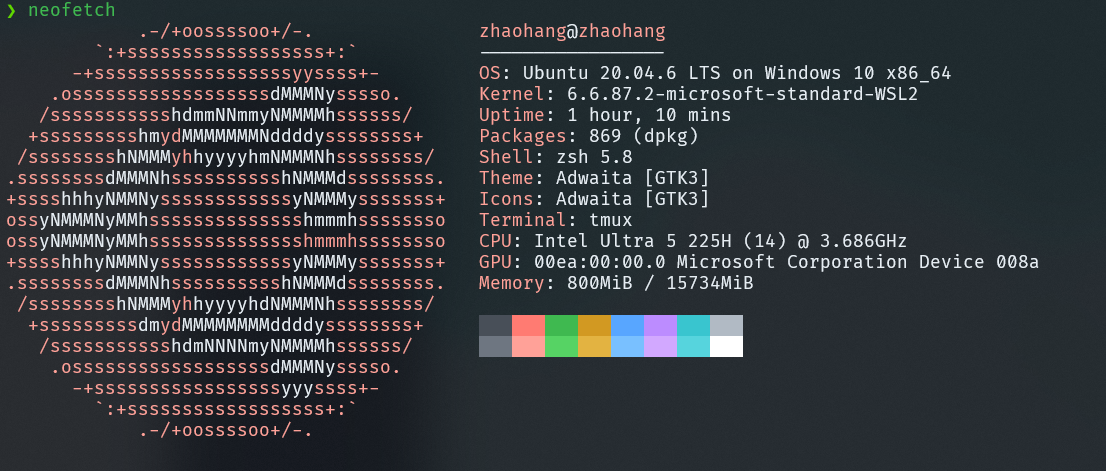 WSL2 Ubuntu20.04
参考